One week of client work, on the record.

A Notion template for consultants, fractional executives, freelancers and other independent professionals who manage several ongoing clients at once.

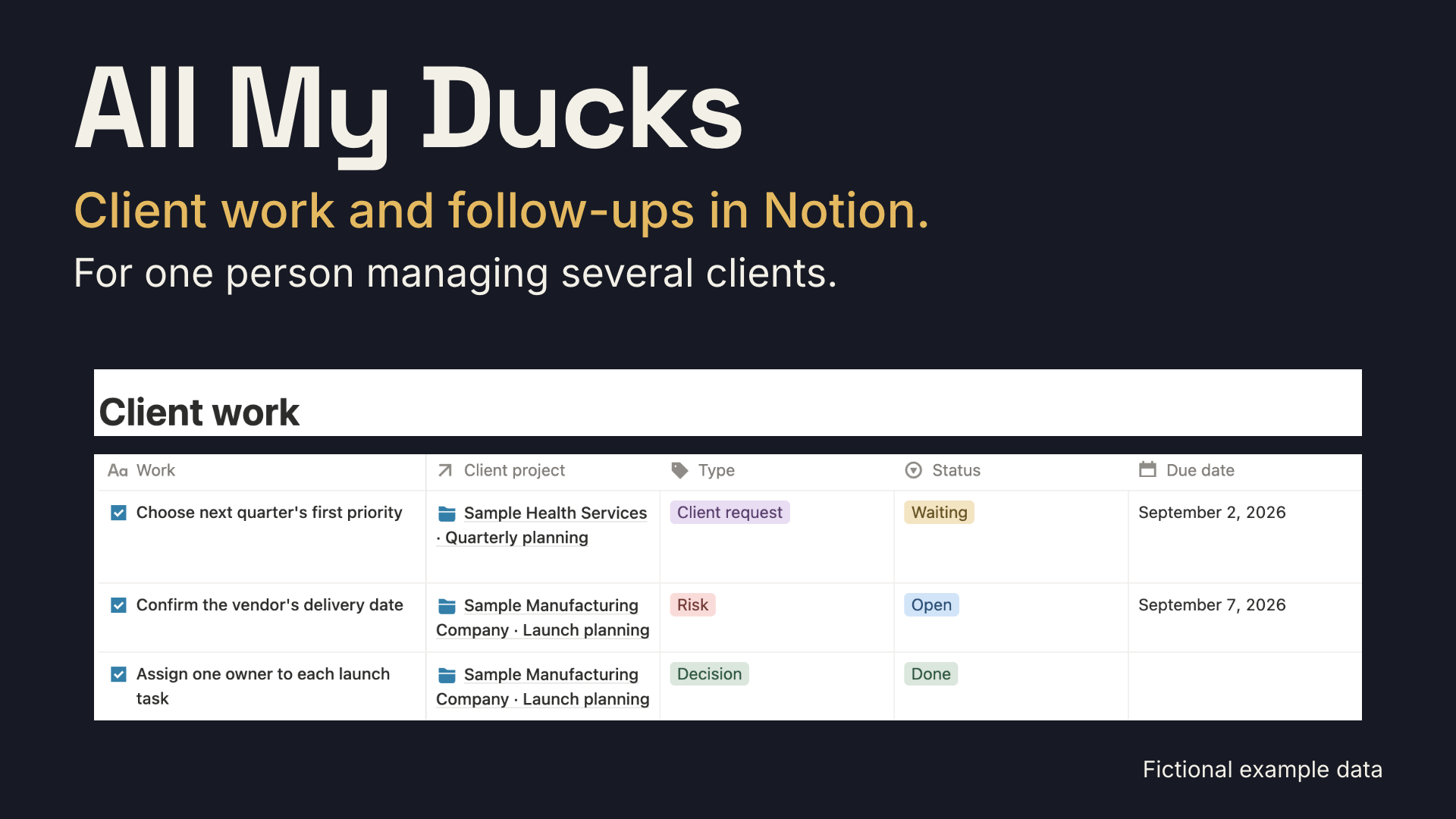
All My Ducks cover showing fictional client work, project, status and due-date fields in Notion.

Monday

Under What needs attention, choose one entry.

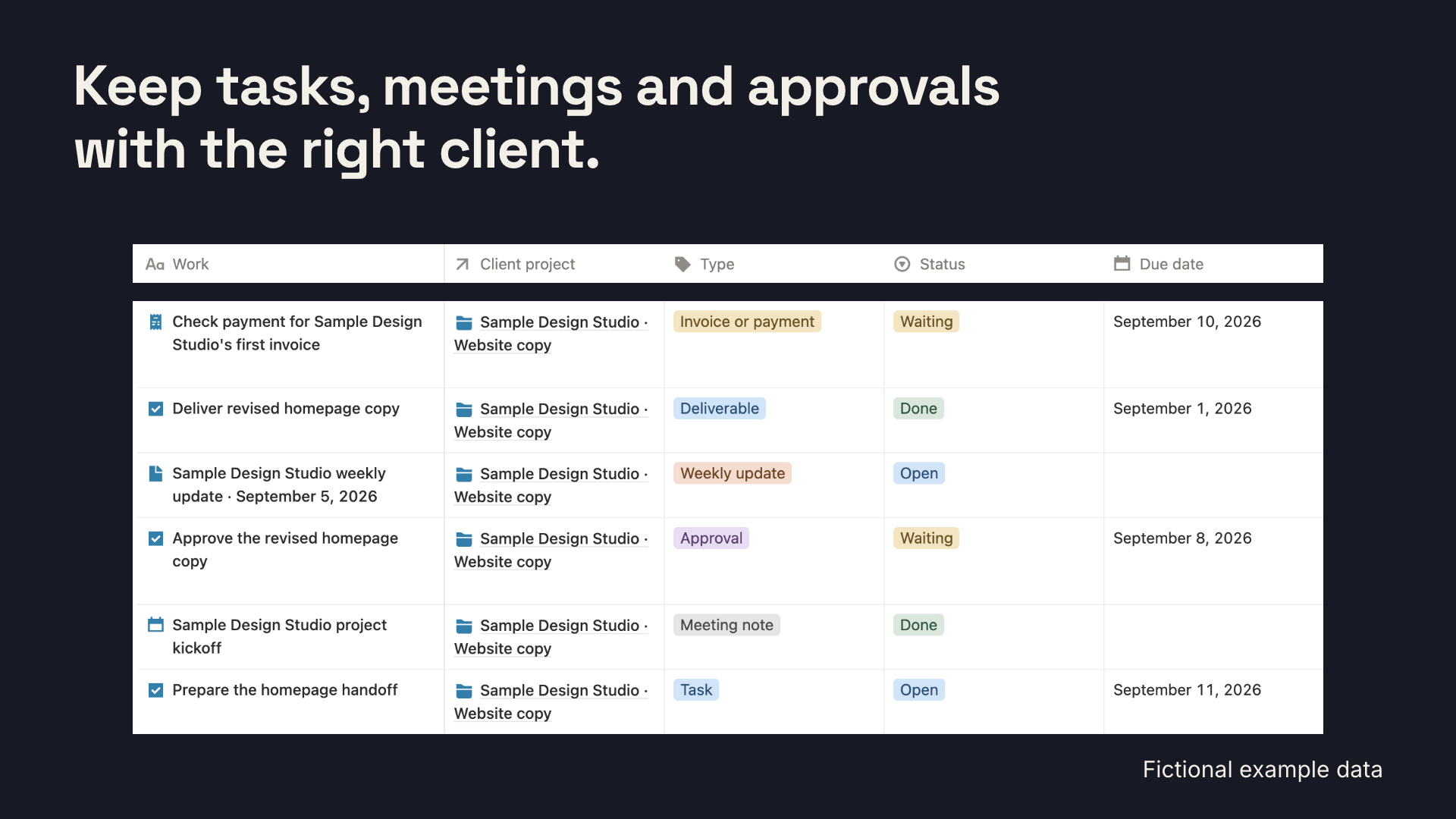
The home page opens on work sorted by Due date. Use Add client work before a meeting ends to add a deadline, decision, client request or risk under the right Client project.

Fictional client work in Notion, including tasks, a meeting, an approval, a weekly update and a payment follow-up.

Wednesday

Half the week is waiting on someone.

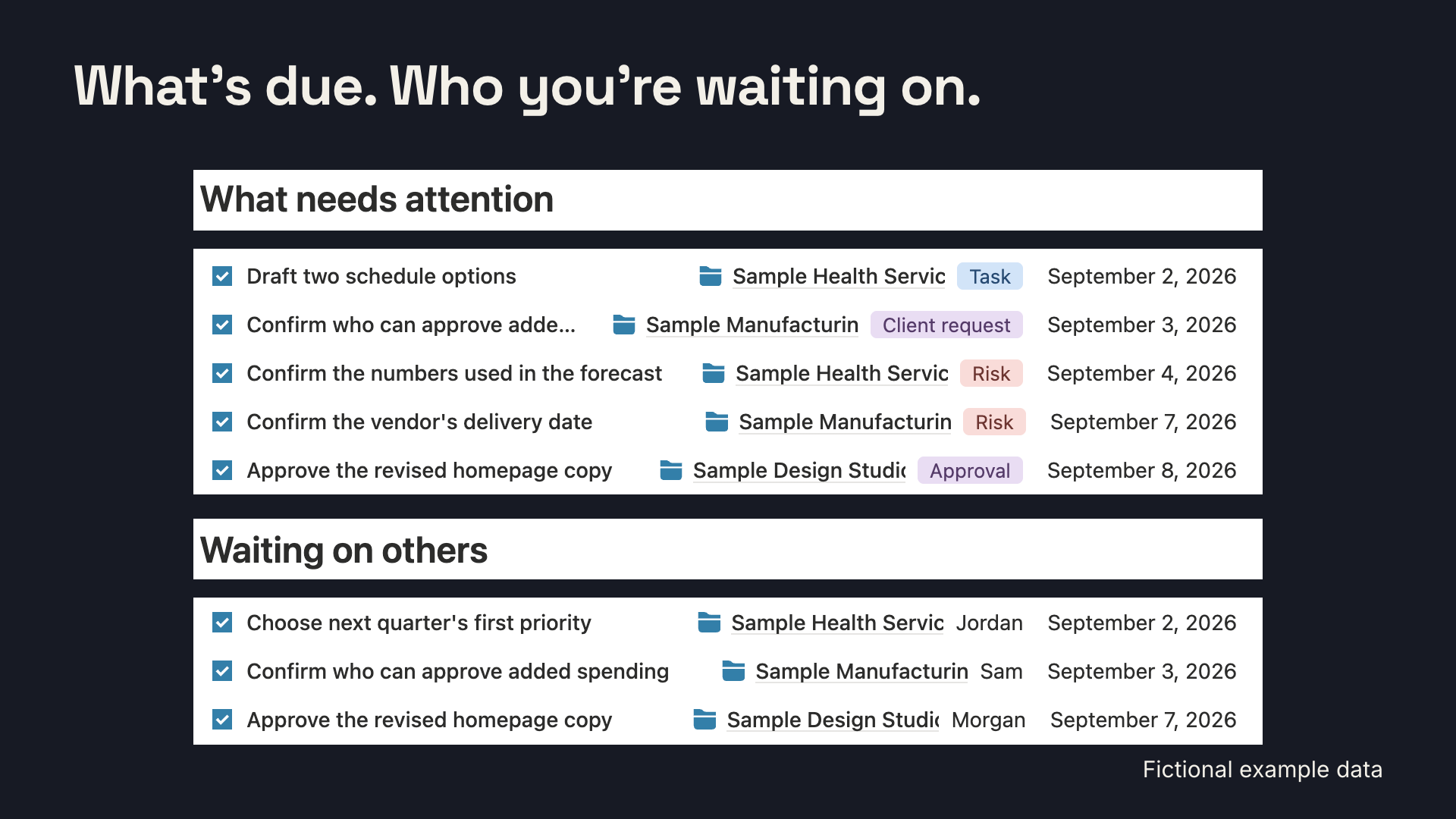
Items waiting on someone carry the person, what they owe and your next follow-up date. A stalled item becomes a scheduled follow-up instead of a nagging feeling.

Fictional Notion views for work that needs attention and work waiting on other people.

Sample entries are fictional. The working views in your copy start clean.

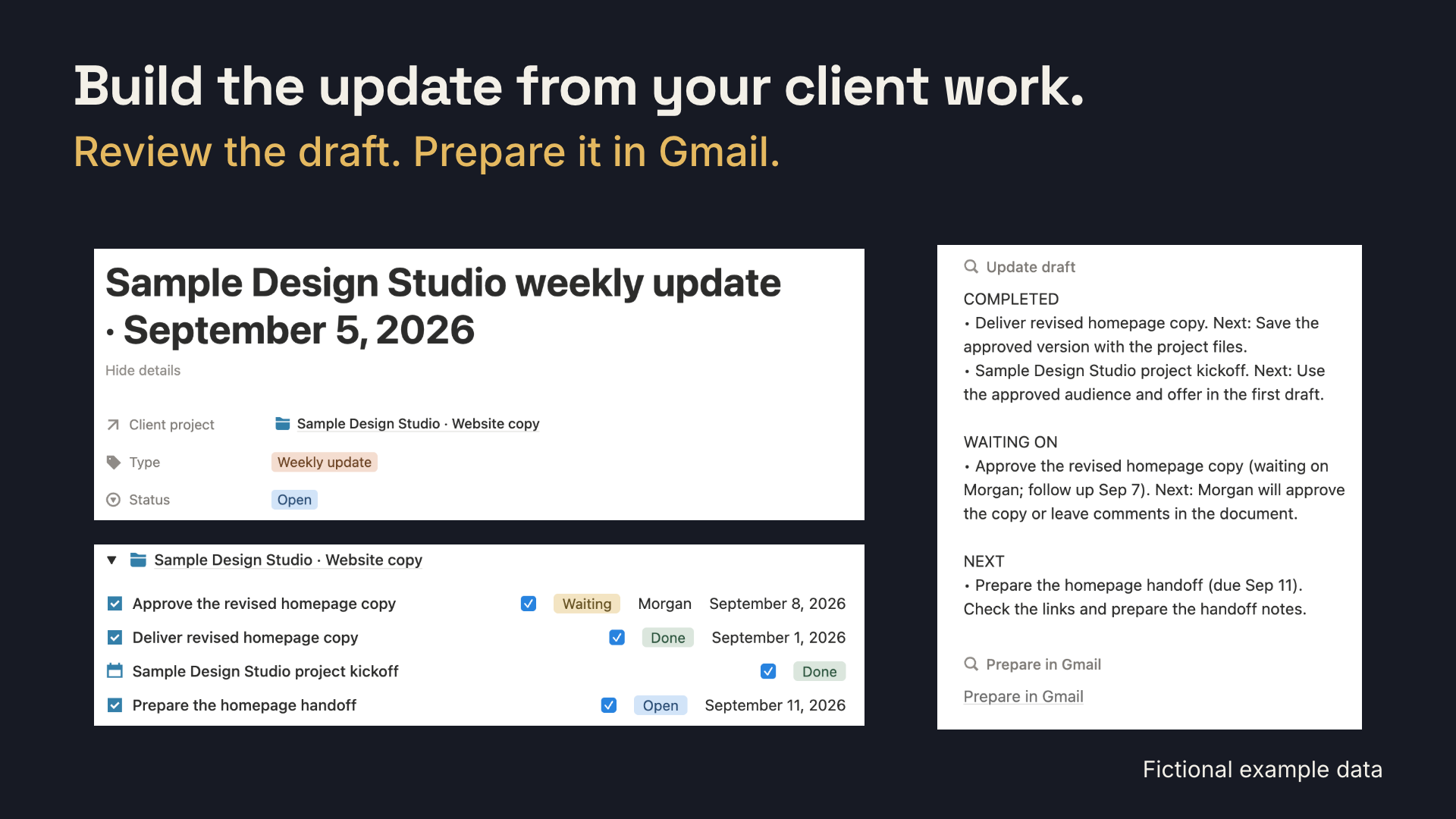
Fictional weekly update in Notion beside a draft organized into completed work, waiting items and next steps.

Friday

The update starts with the client work you select.

Work you plan to mention to the client appears under For client update. The Weekly update template prepares a draft with completed work, items waiting on others and next week's work for the client project you select. You review and send the message yourself.

Week 6

Prepare for renewal with a record of completed work.

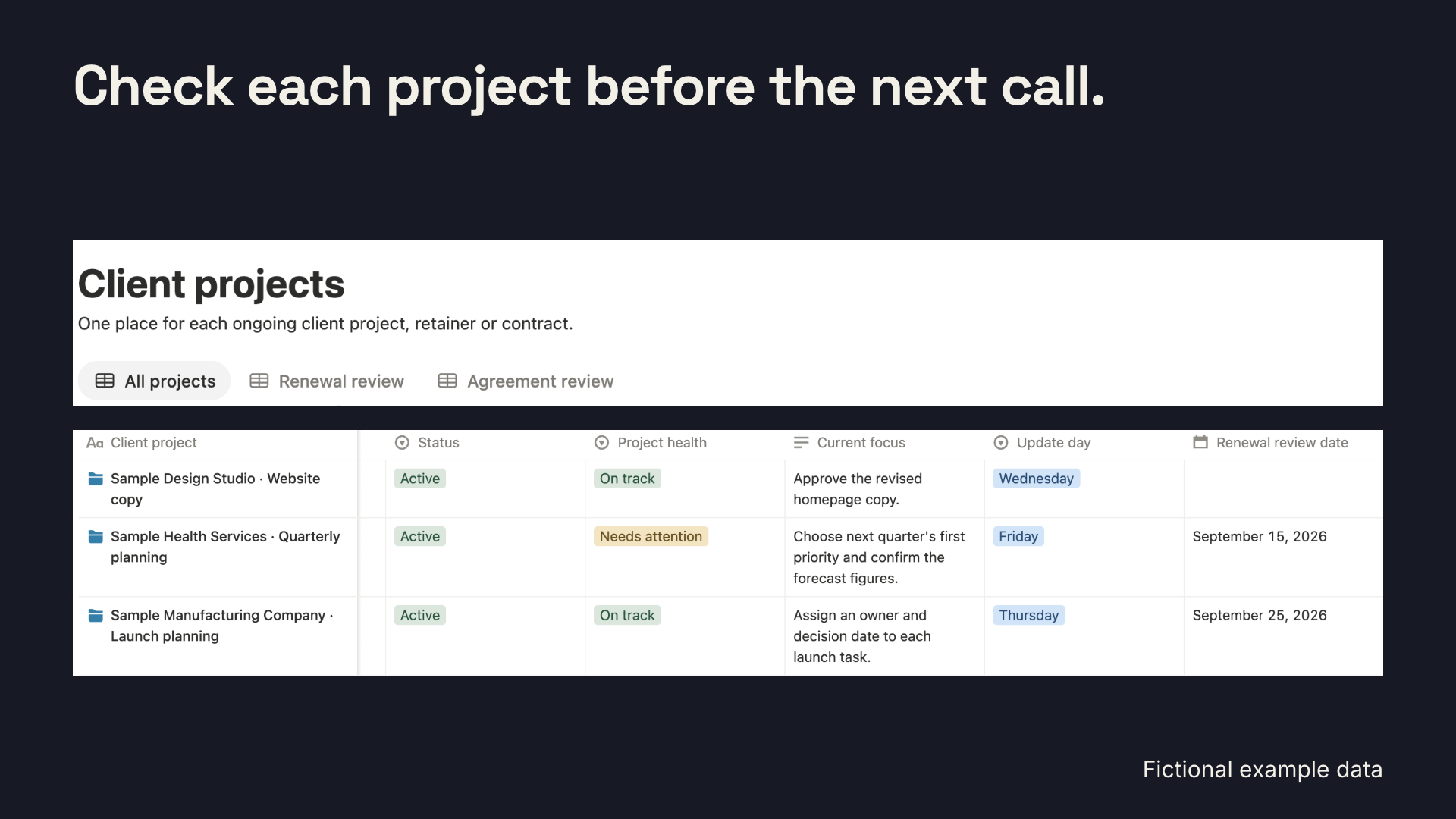
Each client project includes a renewal review date and project health. Client records keep approved work, decisions, testimonials and referrals tied to the project where you expect to need them later.

Fictional client projects in Notion with project health, current focus, update day and renewal review date.

Sample entries are fictional.

What is in the file

Three connected databases

  • Client projects, one entry for each contract, project, retainer, fractional role or subcontract
  • Client work, with tasks, meetings, decisions, follow-ups and updates linked to each project
  • Client records, for approved work, decisions, measurable improvements, testimonials and referrals worth finding later

Views and templates

  • Working views for daily work, weekly updates and renewals
  • Eleven templates for client projects, work, meetings, weekly updates, billing follow-ups, scope changes, agreement deadlines, closings and client records
  • Formulas showing when work is due and when a renewal review is coming up

Setup and privacy

  • A fictional walkthrough; working views exclude it
  • Works on the free Notion plan
  • Daily views fit the phone app; setup suits a computer
3connected databases, with each client work entry tied to a client project
11entry templates for recurring client work, meetings, updates, agreement deadlines, billing follow-ups and saved client records
0records visible to West of Obvious; the template duplicates into your workspace

Use other systems for billing, time and client access

Use All My Ducks after you and a client have agreed to work together. Keep leads, invoices, time records and client access in the systems you already use for those jobs. The template does not import email, Slack messages, calendar events, transcripts or an existing Notion database. It contains no automation that contacts clients. You decide what you commit to, what counts as a finished result and what a client may see. Keep confidential material out unless your client agreement allows you to retain it.

All My Ducks is $29 on Notion Marketplace.

Buy the template once and choose the workspace that receives it at checkout. Works with Notion Free. Use a computer for initial setup.

The purchase covers your own client work under the personal-use license inside the file. A free Notion account is required.