Record
Enter the fact you can verify.
Write the exact date, title, number, link or other fact you can verify. Add the source you are allowed to keep.
$19 digital workbook
Compare the facts in your resume, LinkedIn profile, portfolio and application before you submit. Use the workbook in Microsoft Excel or Google Sheets.
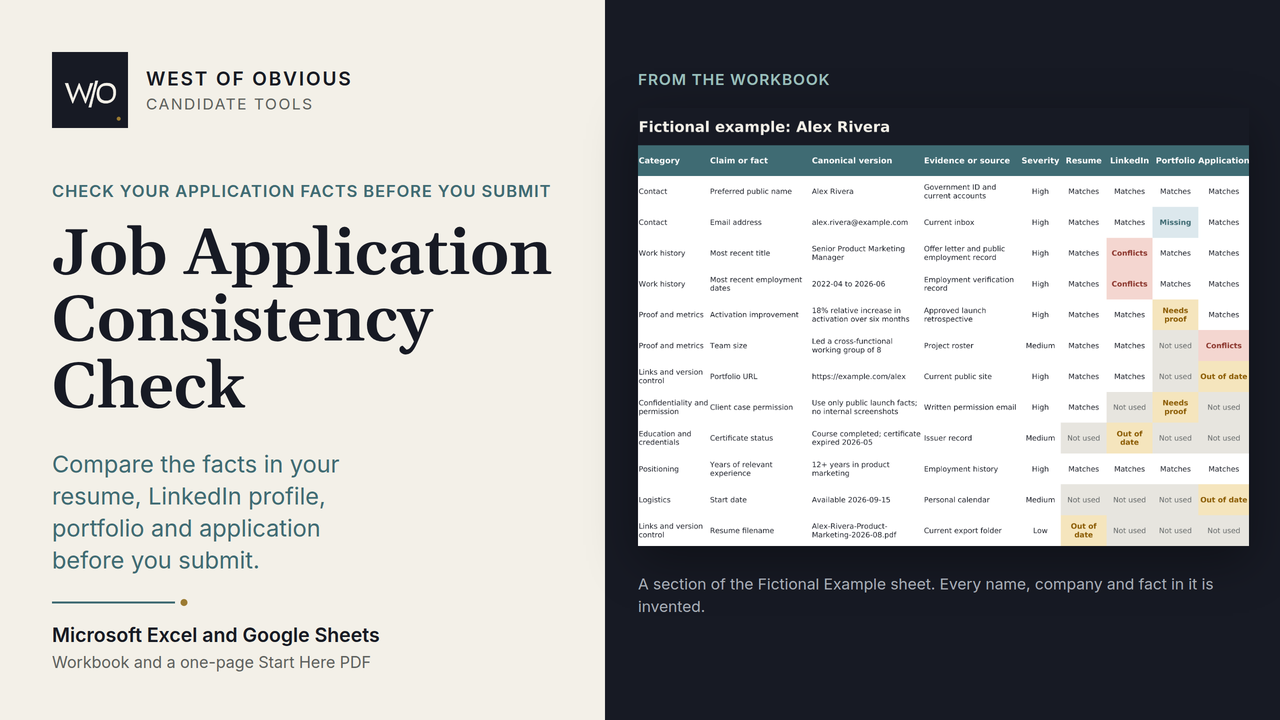
Check one set of application materials
A date can be accurate on a resume and stale on LinkedIn. A portfolio can carry a metric that no longer has a source. The workbook puts each fact on one row so you can see the disagreement before an employer does.
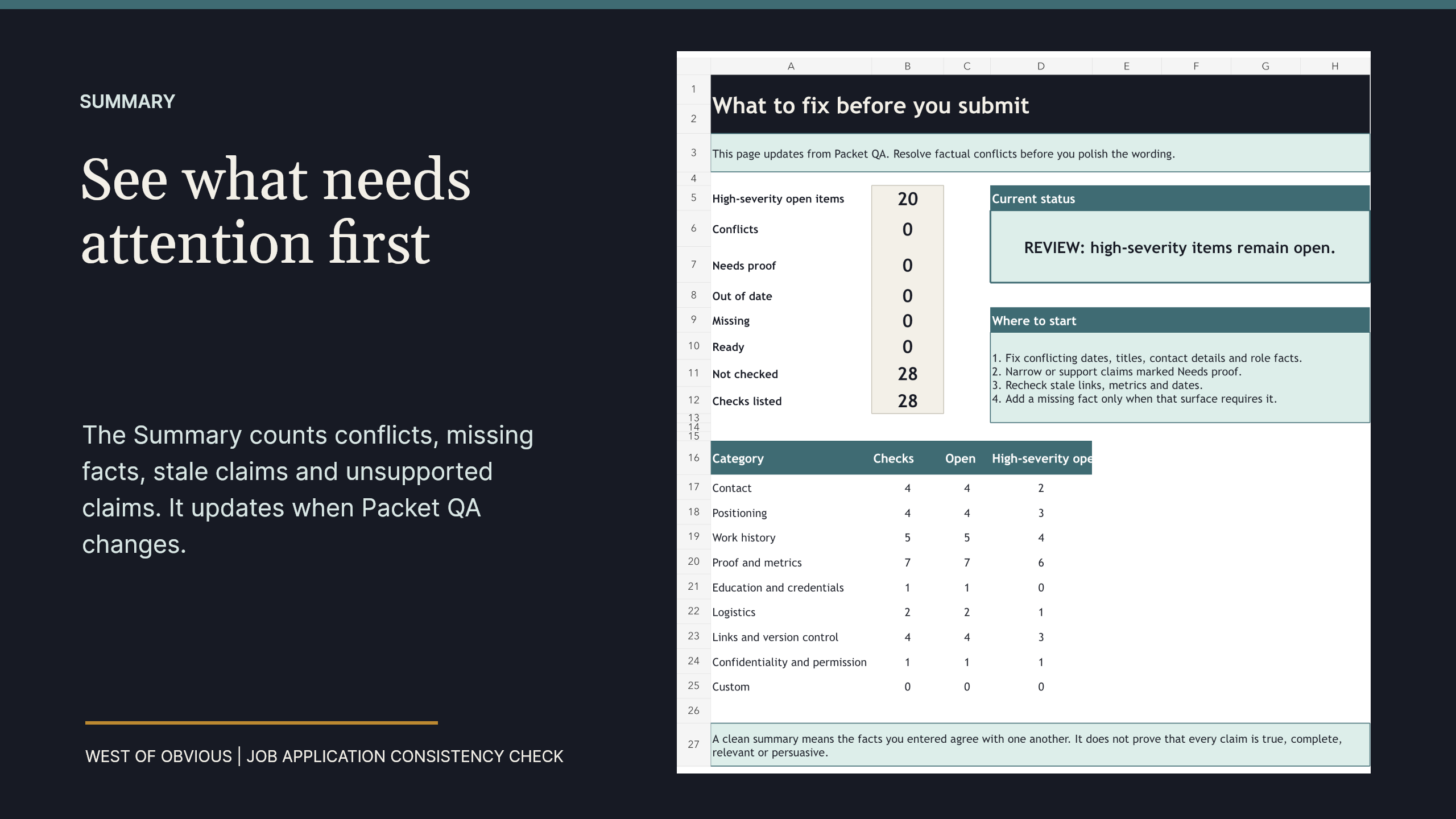
The Summary counts problems by type and shows where to start. You still verify every fact and decide what belongs in each application.
Record
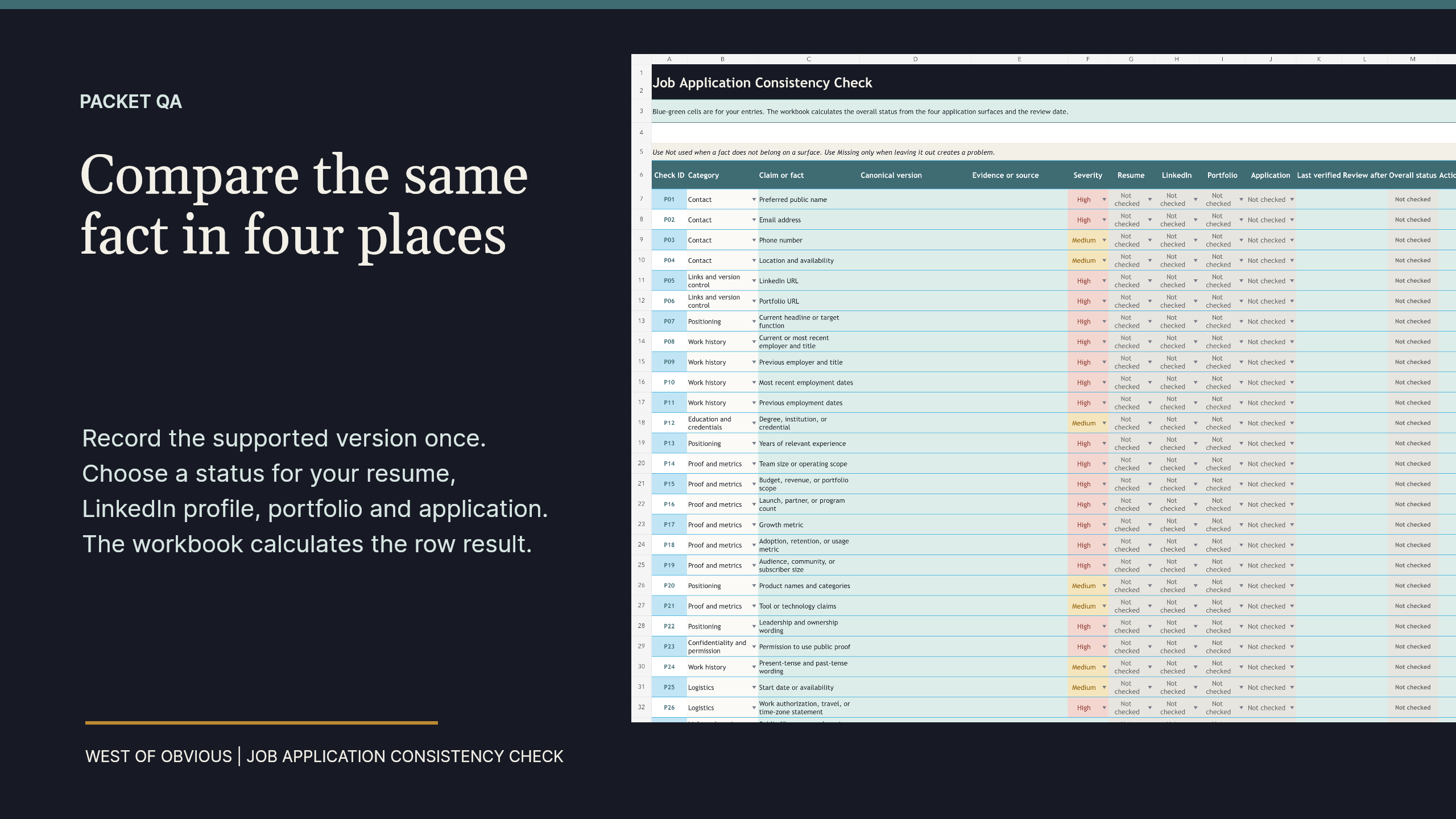
Write the exact date, title, number, link or other fact you can verify. Add the source you are allowed to keep.
Compare
Choose a status for your resume, LinkedIn profile, portfolio and application. Mark a place Not used when the fact does not belong there.
Correct
The Summary counts conflicts, missing facts, out-of-date claims and claims that need a source. Write down the correction you need to make before submitting.
Inside the files
Real workbook views
Current price
$19
The purchase includes the Excel workbook and a one-page PDF with the Google Sheets copy link.
The purchase covers one person's job search. You may complete, save and reuse the files for your own applications. The files may not be shared, posted, resold or used in paid client work. A team or classroom library requires separate written permission.
Use the included Excel file in Microsoft Excel, or use the Start Here PDF to create a separate Google Sheets copy in your Google Drive. A Google account is required for Google Sheets. No Word, Notion, fillable PDF or job-application tracker is included.
West of Obvious cannot see what you enter in Excel or Google Sheets. Keep trade secrets, personal identifiers and employer-confidential material out of the workbook. Do not send a resume, employer record, account access or other private job-search information for support.
The workbook organizes the review. It cannot confirm whether a fact is true or decide which version belongs in an application. You make every correction and decide what to submit.
Digital files are delivered immediately, so sales are final if you change your mind, decide not to use them or discover a compatibility requirement disclosed before checkout. If a file is wrong, corrupt, missing a stated component or materially different from the listing, email melissa@westofobvious.com within 72 hours. West of Obvious will repair or replace the file first. A refund is available only when West of Obvious cannot deliver the product described. Platform purchase-protection rules and rights required by law still apply.
Recruiter Screen Live Reference keeps your introduction, work examples, questions and call notes on one page during the conversation.
See the recruiter screen PDF