Google Sheets and Excel workbook
Hold That Quote
A client wants a price. You need enough detail to work out what that price covers. Check the request and the hours behind your fee before you send the quote.
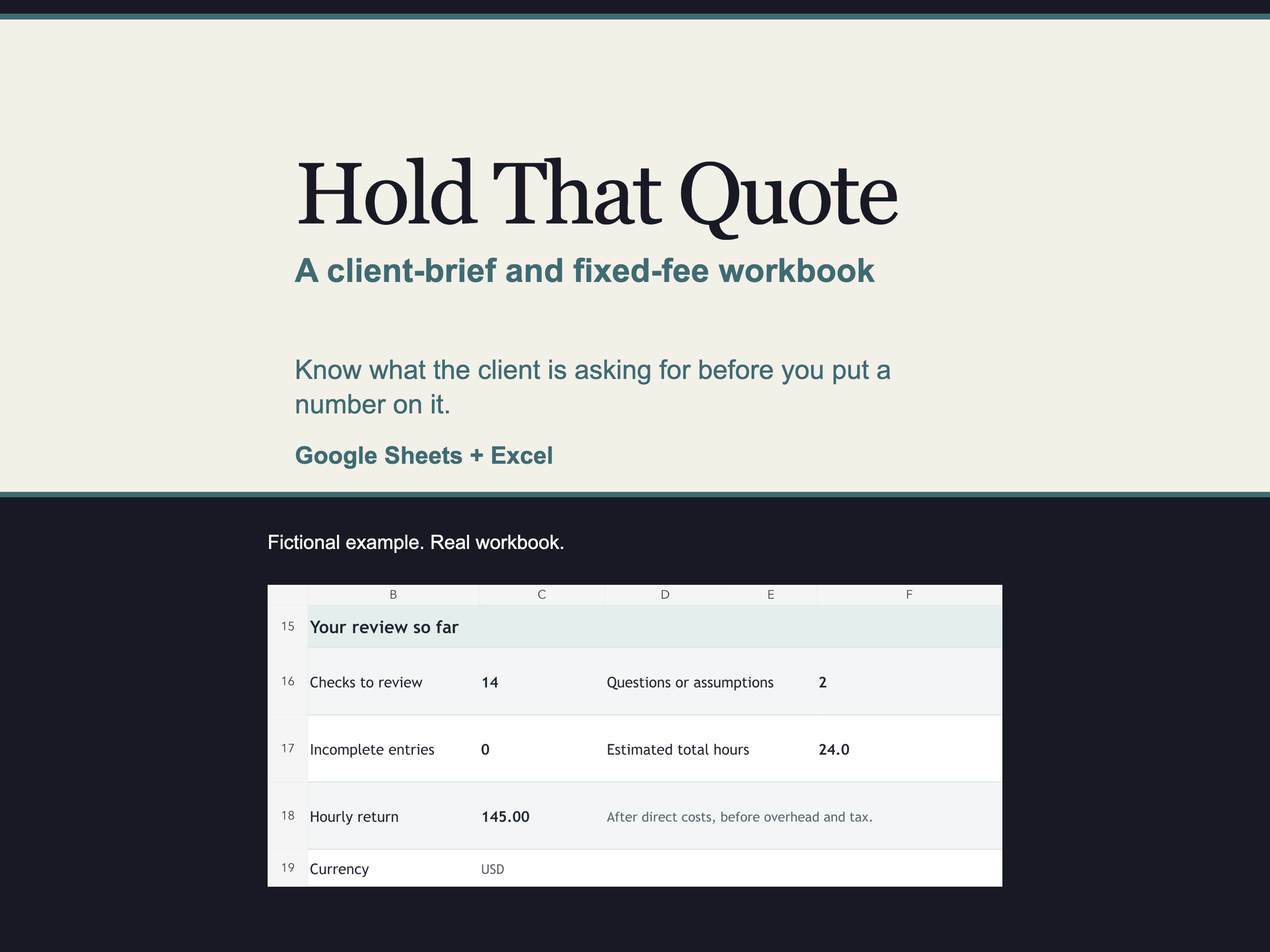
Know what the price covers.
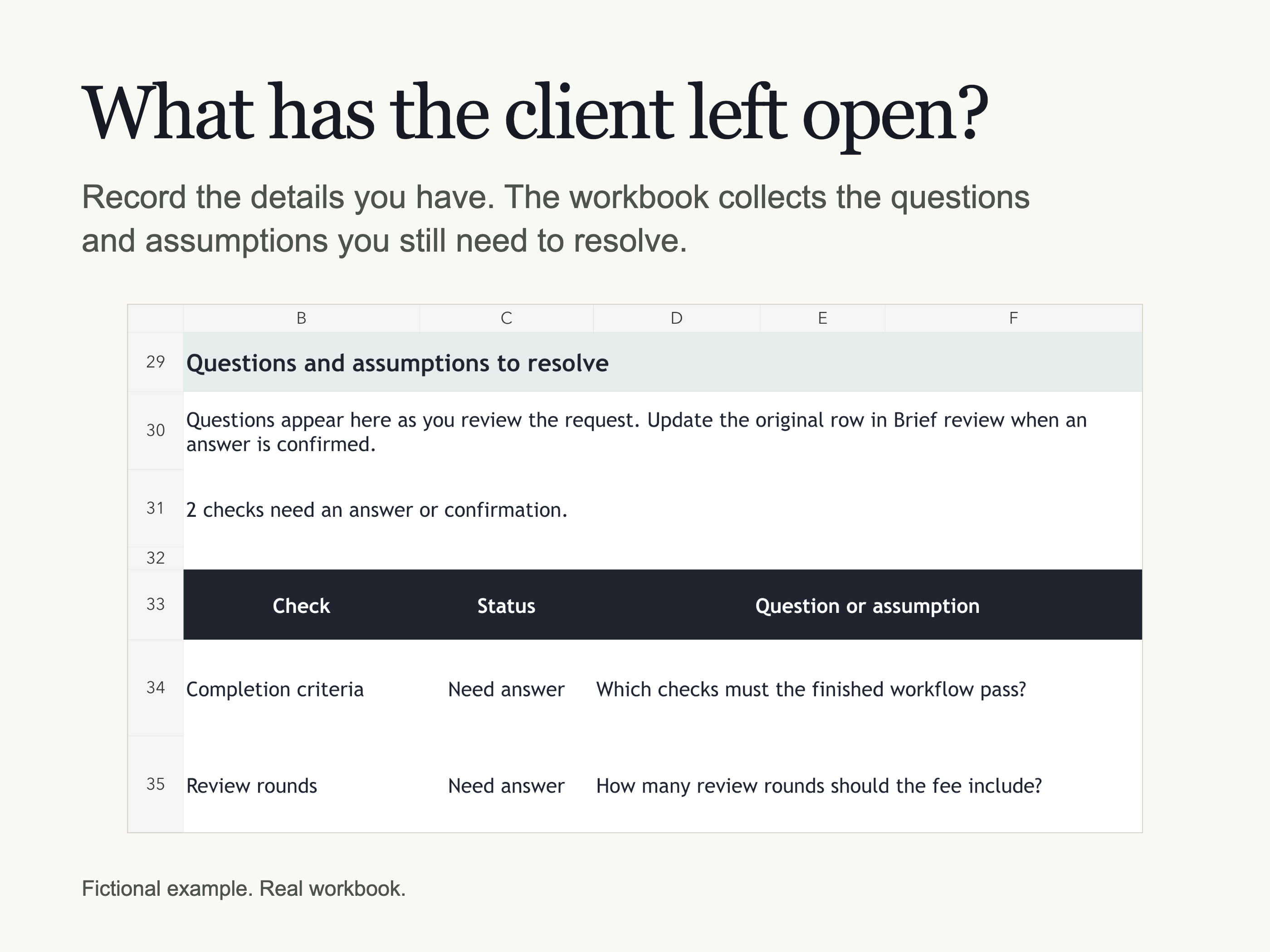
Hold That Quote helps you review the request, keep unanswered questions together and estimate the hours behind your fee.
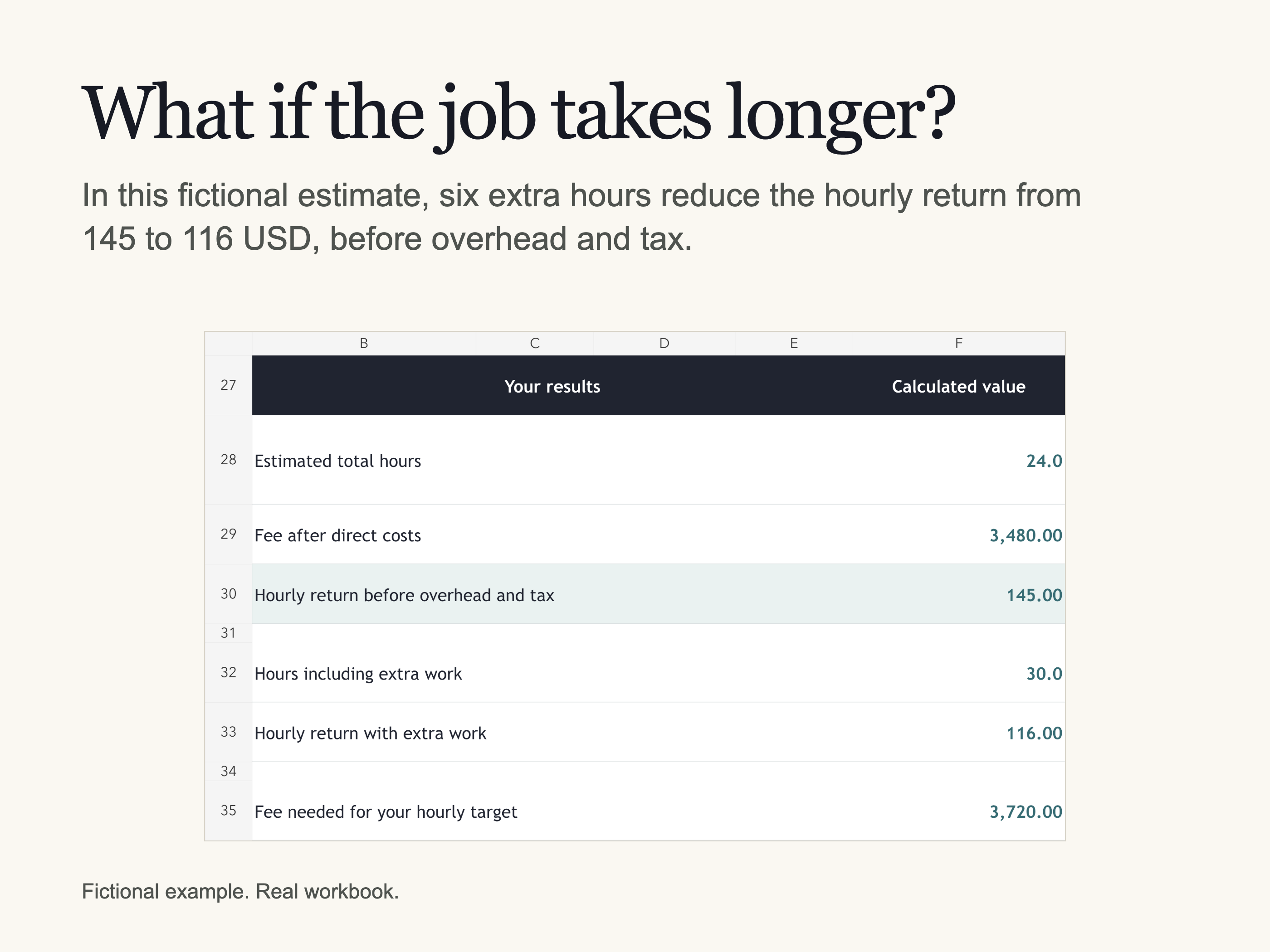
Enter your proposed fee and direct costs to see what remains per hour before overhead and tax. You can also check the effect of extra work and compare the fee with your own hourly target.
Use it for creative, technical or operations work sold at a fixed fee. You supply the details and decide what to quote.
Before you commit
- Review what the client expects, including deliverables, deadlines, approvals and revision limits.
- Record missing details and assumptions. The workbook collects the questions that still need an answer.
- Count meetings, revisions and other work alongside the main task when you estimate your hours.
- Compare your proposed fee with your own target and see how extra hours change the result.
Optional help using the workbook
The included prompt asks ChatGPT or Claude to guide you through the workbook. You copy and paste it into the service you choose, check its suggestions and enter the details yourself.
The workbook works without AI. If you use the prompt, share only information you have permission to share with that service.
See inside the workbook
One payment
$19
Google Sheets and Excel are both included. Reuse the workbook for your own client projects.
What you get
Google Sheets and Excel workbooks with prepared brief checks, time and fee calculations, two fictional examples and the optional AI prompt. The Start Here PDF includes the Google Sheets copy link.
Before you buy
Use a computer with your own Google account for Google Sheets or desktop Microsoft Excel.
You review the client request yourself. The workbook organizes what you enter; it does not inspect documents, write a proposal or contract, recommend market rates or guarantee a profitable project.
Keep confidential client information out of the workbook and any AI conversation. Record only the details you are allowed to keep.